
E-commerce Architecture & WPO
Performance Engineering (WPO) for WooCommerce. We optimize database and server to achieve loads under 1 second. If your store is slow, your competition wins.

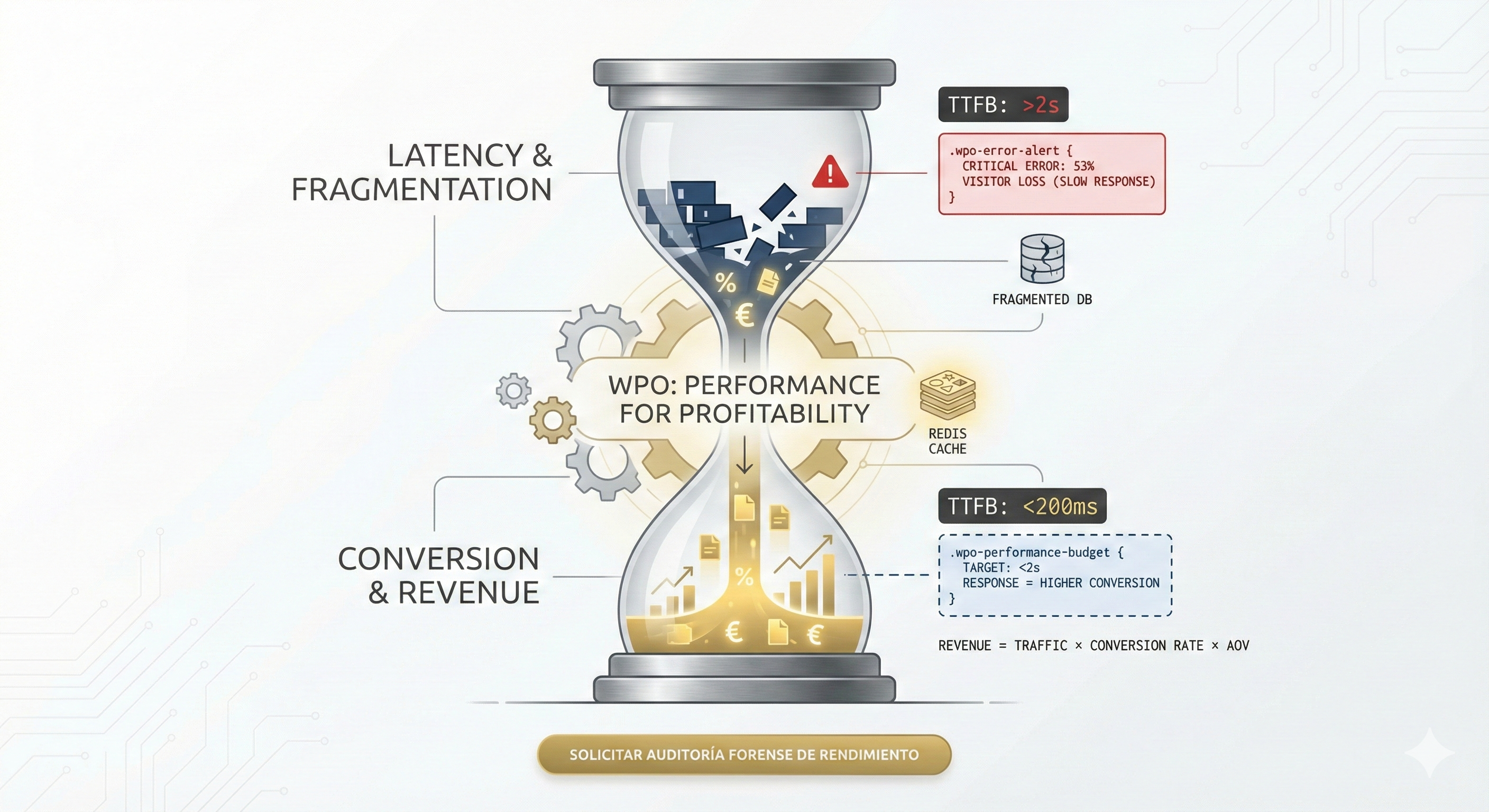
The most critical mistake corporations make in the digital ecosystem is treating WPO for WooCommerce as an aesthetic adjustment and not as a metric of financial or legal solvency. If the infrastructure and contracted hosting system take more than 2 seconds to respond, the business assumes a mathematical 53% leakage of visibility and sales before the commercial offer is processed. It is not a design problem; it is a structural engineering failure in WordPress that generates errors, affects visibility on Google, and drastically reduces the e-commerce return on investment. If you have a WooCommerce online store and have not optimized your architecture, now is the time to act to improve your conversions.
Web performance optimization (WPO) does not consist of installing patches; it requires advanced management and complete re-engineering of the WordPress technology stack. From choosing a suitable VPS to handling SQL queries to ensure higher quality, every technical decision impacts the bottom line. Furthermore, we must understand that WordPress is a robust CMS, but it requires expert maintenance and technical training not to degrade over time. It is also responsible for a large part of global content and product traffic, which is why you need a professional service solution to get the maximum performance from your digital products.

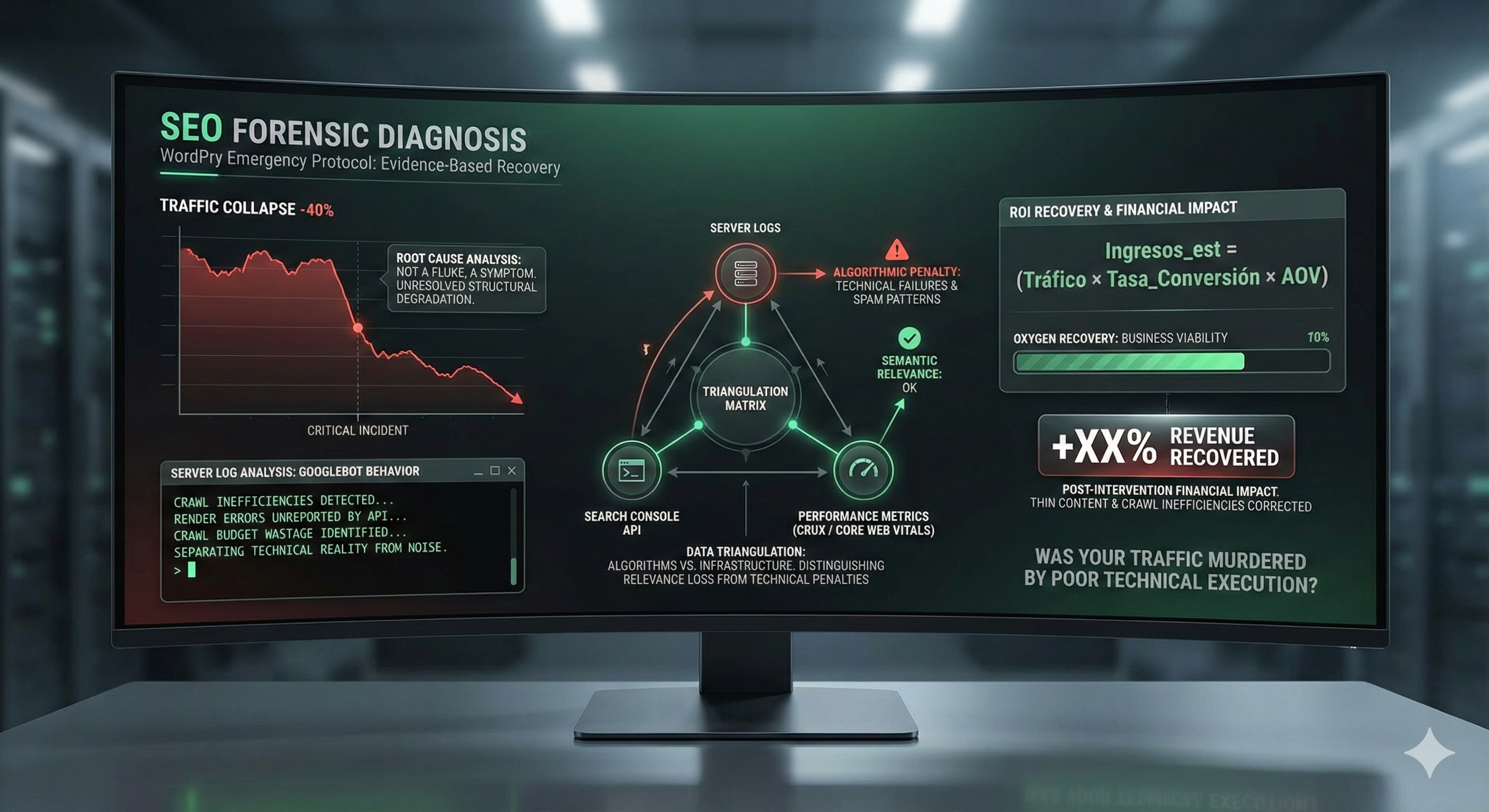
Any WordPress URL aspiring to dominate the SERPs must understand that Google measures not only raw speed, but the stability of the user experience (Core Web Vitals). A slow website degrades the domain’s authority, resulting in lower SEO positioning and a loss of market share to competitors or Shopify stores with more robust architectures. This is how you can progressively lose positions and sales without realizing it.
The Google Search algorithm rewards operational efficiency. If WordPress delivers heavy content or the server takes too many seconds to respond with the first byte (TTFB), the crawl resources allocated by the search engine are wasted. This prevents the rapid indexing of new references in the WooCommerce product inventory, leaving a large part of the available product catalog out of the market. Increasing crawl efficiency in WordPress is vital for stores with thousands of URLs, and our experience shows that, if optimized, you can achieve significant improvements.
The modern user does not tolerate waits. Market studies confirm that for each additional second of delay in loading the WooCommerce checkout, conversion and sales drop by 7%. In WordPress stores with high traffic volume, this represents thousands of euros lost monthly due to poor infrastructure. Optimization of the purchase flow must be total and absolute; you also need to monitor the elements and errors that affect the performance of the payment process.
One of the most frequent bottlenecks in WordPress projects is choosing cheap hosting for your WooCommerce. For a WooCommerce with commercial traction, shared hosting is unfeasible, unlike closed platforms like Shopify that manage this differently. The architecture requires dedicated resources to guarantee stability during concurrency peaks. Our team has identified that other factors, especially the geographical location of the server, are also responsible for perceived latency.
In a shared environment, CPU and RAM resources are divided among hundreds of neighboring websites. When an online store on WordPress grows, you need an optimized VPS (Virtual Private Server) to manage concurrent PHP processes and avoid errors. Without a properly configured VPS, the backend will collapse under the pressure of multiple users browsing simultaneously. We always recommend isolated environments to guarantee the security and speed of WordPress. This way you can access dedicated and optimized resources that make a difference in performance.

The web server must be tuned to serve static and dynamic WordPress content with the lowest possible latency. The combination of Nginx as a reverse proxy and PHP-FPM allows handling a greater number of requests per second than the obsolete Apache. This configuration is standard in any high-performance system that seeks to scale without failures. Now there are also other techniques and components, such as Nginx workers, that can be adjusted to get even more performance.
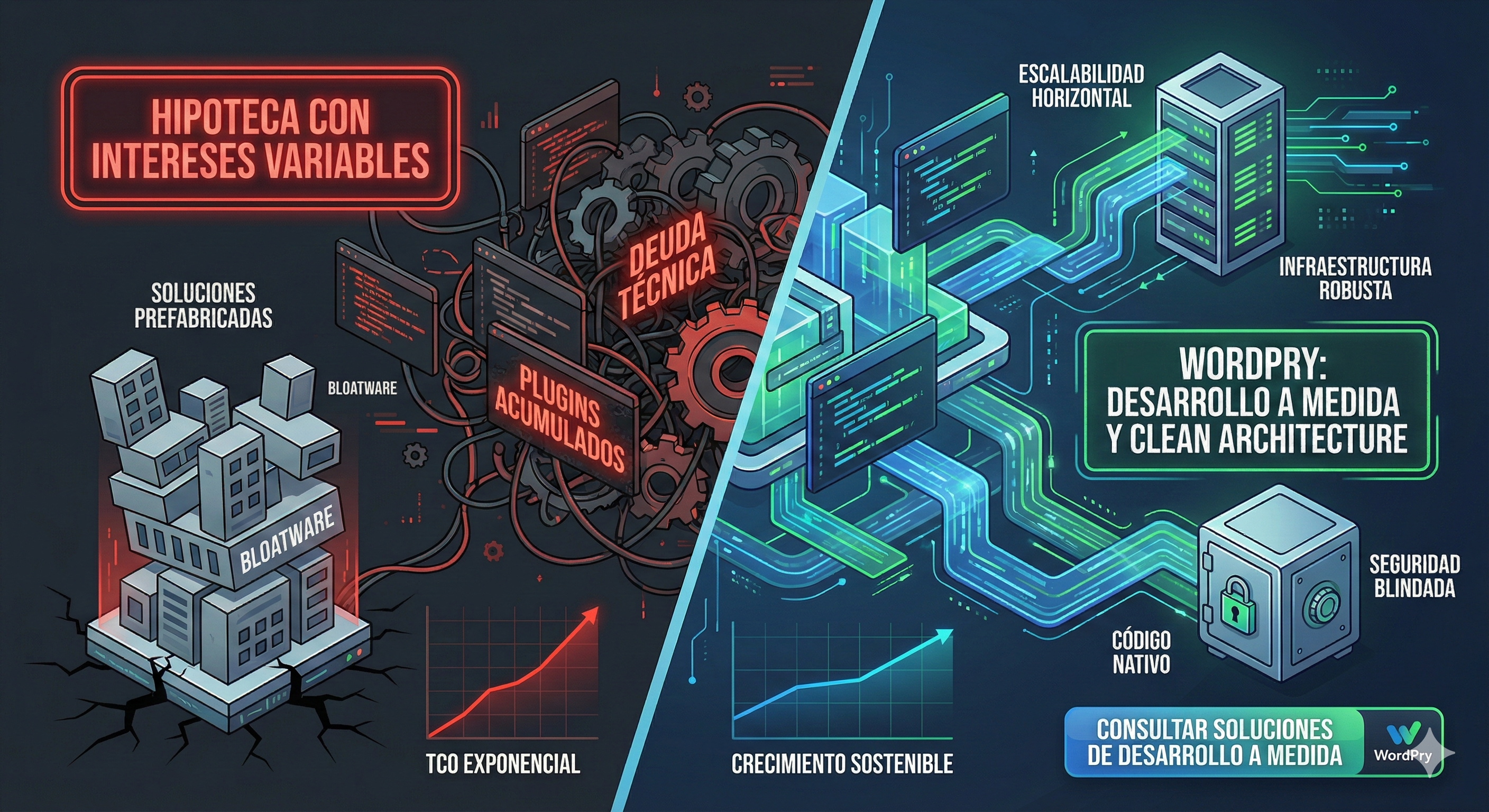
Many managers choose WordPress themes based exclusively on aesthetics, ignoring the “bloatware” or junk code they carry. Note: A poorly optimized theme can load hundreds of unnecessary scripts on each URL, saturating browser resources and blocking critical rendering. In our way of working, technical simplicity always overcomes unnecessary visual complexity. If you have doubts about your current theme, contacting our service team is the first step towards the solution.
The accumulation of marketing plugins to add functionalities in WooCommerce is a main cause of performance degradation in WordPress. Each plugin adds a layer of latency that directly affects INP (Interaction to Next Paint). At WordPry, we perform a forensic audit to ensure only the essential code remains active, eliminating superfluous add-ons like poorly coded “newsletter” ones that inject scripts throughout the website, not just in the footer.
It is common to find WordPress installations where heavy plugins are used for simple tasks like inserting a tracking code or creating a basic contact form for clients. These functionalities should be implemented, whenever possible, through native code in the WordPress child theme or lightweight modular plugins. Reducing dependence on third-party plugins is a winning strategy to improve security, quality, and speed.
Ignoring code cleanup in WordPress generates what we call technical debt. Deactivated but not deleted plugins, obsolete themes, and deprecated functions in `functions.php` are vulnerabilities that slow down the system. Corrective maintenance is non-negotiable if we want to increase the project’s lifespan and ensure legal compliance. Our team is responsible for auditing these elements to ensure they do not affect performance.
WPO in WordPress is not only for the frontend that the visitor sees; a slow administration panel (wp-admin) is a symptom of a sick database and a saturated server. If WooCommerce store managers cannot access and work smoothly in the backend, the operational management of the business and the service suffer severely. This also indicates that you need to review your infrastructure configuration.
WooCommerce makes intensive use of AJAX through WordPress to update the cart and calculate totals without reloading the product page. However, a poor implementation of these system calls can block the server’s CPU. It is vital to monitor calls to `admin-ajax.php` and limit their execution in areas where they do not add value, thus reducing processor load. This way you can free up resources for the transactions that really matter.
The WordPress Heartbeat API allows real-time communication between the browser and the server (autosave, panel notifications). In a store with multiple editors working in the admin, these constant pulses can cause an unintentional DDoS attack against the hosting itself, especially if there is no control. Regulating its frequency is a mandatory optimization to avoid errors and total server collapse. It is now possible to configure the frequency granularly according to the panel section.

An aspect that many neglect in WordPress WPO is perimeter security. Brute force attacks against the login or massive bot spam consume CPU cycles and memory, slowing down loading for legitimate buyers of your ecommerce. A secure site is, by definition, a faster site. Our comprehensive solution combines security and performance as a unique approach for your WooCommerce.
Malicious automated traffic not only pollutes WordPress analytics but also devours hosting bandwidth. Implementing a firewall at the server level (WAF) protects the integrity of WooCommerce and frees up system resources. Blocking spam in comments and registration forms prevents the database from growing exponentially with junk information, which would eventually slow down SQL queries and other processes. This way other critical processes can get the resources they need.
Processing sensitive information requires robust encryption. The SSL certificate handshake can add latency if the server is not optimized for it. Using modern protocols like TLS 1.3 and OCSP Stapling reduces secure connection time, improving the perception of speed and trust in the WordPress environment. It is also responsible for protecting the personal data of your users in accordance with current legal regulations.
TTFB (Time to First Byte) is the thermometer of WordPress hosting efficiency. A high TTFB indicates serious problems in PHP processing. Every millisecond of delay shifts the LCP (Largest Contentful Paint), affecting the perception of quality of the WooCommerce store. If you have these symptoms, contacting a specialist is the fastest way to find the solution and avoid errors.
This formula demonstrates that even if we increase traffic to WordPress, if the conversion rate falls due to a slow system, revenue and sales stagnate. Investment in WPO is, therefore, a direct investment in increasing AOV (Average Order Value) and user retention on the platform. Now you can calculate how much money you lose for each additional second of latency in your ecommerce.
Installing a cache plugin in WordPress is a mediocre patch when the database is fragmented. True optimization occurs at the architecture level, cleaning the `wp_options` tables and optimizing the SQL queries that run on each load. A clean database responds much faster if optimized, and that translates directly into a better experience for users who want to access your products and content.
Over time, WooCommerce accumulates “transients” (temporary data) and auto-load options in the WordPress database that are no longer useful. This residual data is loaded on every visit, increasing the amount of RAM needed to run the platform. Rigorous maintenance involves purging these records and de-indexing log tables generated by security plugins or old newsletter systems that are no longer used in the installation. Note: Our recommendation is to schedule this cleaning periodically.
To stabilize traffic spikes in WordPress, implementing Redis Object Cache is mandatory. By caching database queries in RAM, we eliminate redundancy in PHP processing, allowing the system to focus on critical transactions. This is vital for the administration area and WooCommerce checkout to function smoothly, even under stress.
/* Protocolo de Visualización: Alerta de Impacto Financiero Crítico en WPO WordPress */
.wpo-error-alert { background-color: #fff0f0 !important; border-left: 5px solid #d9534f !important; padding: 25px !important; margin: 20px 0 !important; font-family: 'Courier New', monospace !important; font-weight: bold !important; display: block !important;
}The visual weight of the catalog in WooCommerce is the main drag on mobile loading. It is not enough to reduce dimensions; it is necessary to serve next-generation formats (AVIF, WebP) and use a CDN to distribute static assets from servers geographically close to the visitor. Optimizing your product images for greater speed is one of the most effective ways to speed up the store. Now you can also automate the conversion of visual content with tools that integrate directly into the upload flow.

Native lazy loading must be implemented carefully so as not to affect the LCP. Excluding “above the fold” images from this treatment is an advanced technique that immediately improves the score in Google PageSpeed Insights. Furthermore, using tools like WP Rocket can automate part of this process, although manual configuration always offers better results. This way, other elements like third-party scripts benefit from optimized loading, which is a step within the recommended techniques.
Although server optimization is a priority, a good cache plugin like WP Rocket can be the perfect complement for a well-tuned WordPress installation. These tools allow minifying CSS and JS, delaying JavaScript execution, and pre-loading the page cache. However, relying solely on WP Rocket without optimizing the underlying server is a strategic mistake.
Page caching in WordPress converts dynamic PHP queries into static HTML files. This drastically reduces server response time. In WooCommerce, we must configure cache exceptions for cart, checkout, and “my account” pages, avoiding functional problems and errors during purchase. Bad cache configuration can ruin the user experience and sales.
If the goal is to stop capital loss and improve metrics, the technical team must ensure compliance with these key points in the audit of their WordPress:
Keeping an updated technical blog on WordPress platform performance helps identify degradation patterns before they affect ROI. Constant optimization in WooCommerce is the life insurance of the digital business. Do not wait to have a problem to audit your online store; prevention and training are the most responsible ways to guarantee profitability. If you have questions, contacting our team is the first step to get a solution and service adapted to your needs. Now you can access our audit and discover how to improve the products, content and key elements of your WooCommerce.