
E-commerce Architecture & WPO
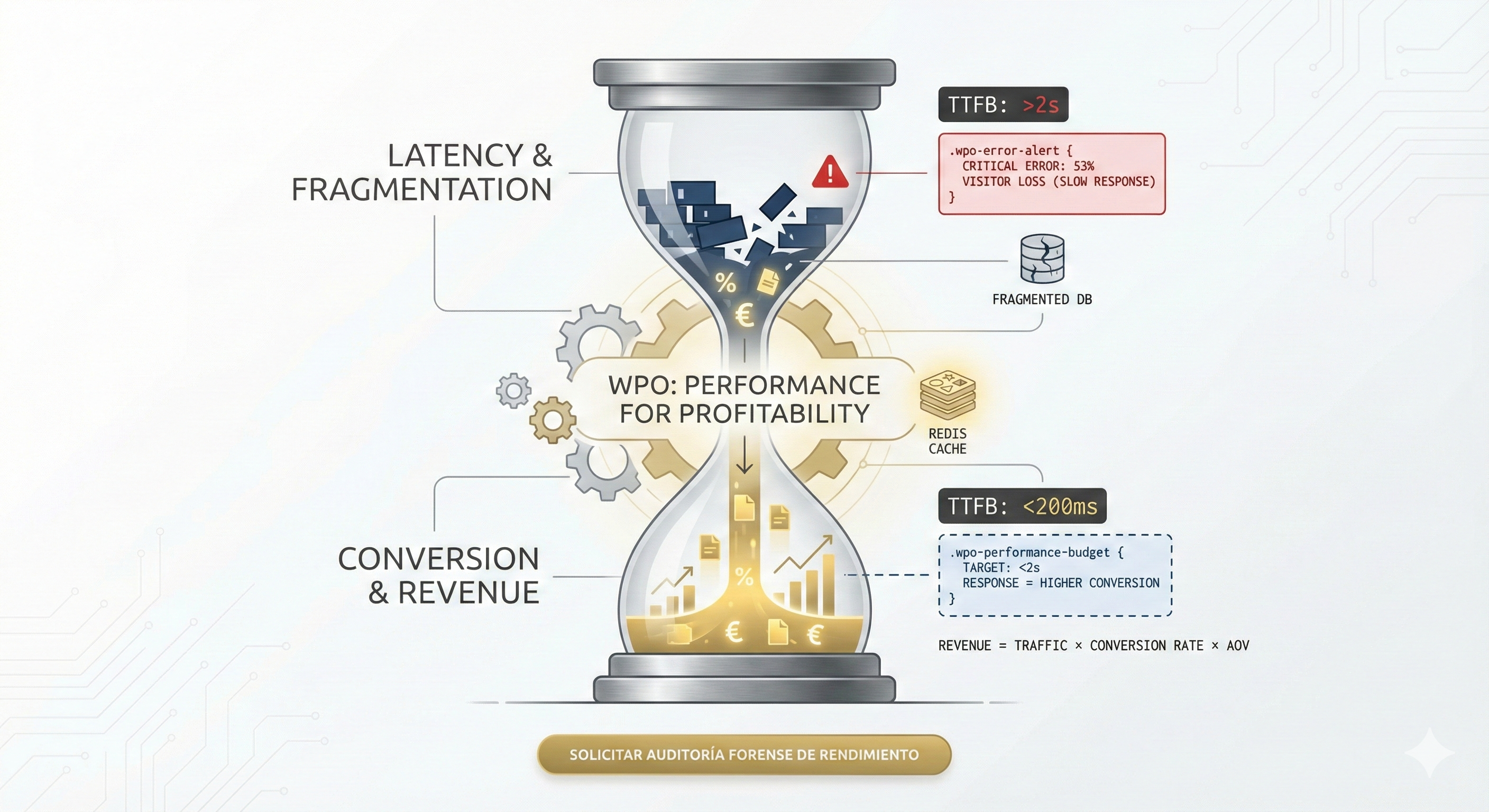
Performance Engineering (WPO) for WooCommerce. We optimize database and server to achieve loads under 1 second. If your store is slow, your competition wins.

Your website is not a digital brochure; it is a complex piece of software engineering that is currently bleeding capital. If you have come this far, it is because you suspect that the slowness of your infrastructure is affecting your bottom line. As a WordPress Technical Debt Specialist, my initial diagnosis is clear: what you call a “website” is, in reality, a collection of unsustainable patches that devour your wordpress web maintenance budget and destroy your conversion rate. We are not here to talk about aesthetics, we are here to talk about technical solvency.
Most agencies in saturated markets like barcelona web design will sell you a visually pleasing facade built on rotten foundations. They deliberately ignore that every unnecessary line of code is a performance tax that Google collects with invisibility and users pay with abandonment. This report is not a suggestion; it is a forensic autopsy of why your competition is humiliating you in the SERPs and how to reverse it with a concrete action plan.
Think of it this way: every month you pay for wordpress web maintenance without solving the root cause of your problems, you are feeding a financial black hole. The hidden costs of a technically insolvent website do not appear on an invoice; they manifest as customers who never arrived, conversions that never happened, and web positioning that silently degrades while your competition invests in code refactoring and you keep paying for patches. Our team has documented that the real cost of ignoring technical debt exceeds between 5x and 12x the cost of resolving it in time.

The heart of your WordPress installation, the MySQL or MariaDB database, is often the first point of critical failure in projects with high technical debt. The usual negligence of junior developers consists of ignoring the exponential growth of transactional and configuration tables. When a client contacts us for a wordpress support and maintenance service, the first thing we do is a complete X-ray of the database optimization. In 95% of cases, what we find is a preventable disaster.
In my experience as a WordPress Technical Debt Specialist, 90% of Time to First Byte (TTFB) problems originate in a hypertrophied wp_options table. Every plugin you install, test, and uninstall leaves residual junk. The critical thing is not the disk space, it’s the autoload column.
When WordPress starts, it runs a query SELECT * FROM wp_options WHERE autoload = 'yes'. If your site has megabytes of serialized data (expired transients, deleted plugin settings, old sessions) marked as autoload, the server must process all that junk BEFORE rendering a single pixel. This is not a “cache” problem, it is a data architecture problem that no cache plugin can solve.
-- Forensic Query to detect Technical Debt in Database
SELECT option_name, length(option_value) AS option_length
FROM wp_options
WHERE autoload = 'yes'
ORDER BY option_length DESC
LIMIT 20;
-- If the result adds up to more than 800KB, your site is technically insolvent.
A standard “webmaster” will try to solve this by installing a cleaning plugin, which is ironic and counterproductive. The solution requires direct surgical intervention in the database, removing orphaned rows and reindexing corrupted tables, transforming legacy MyISAM storage engines to InnoDB to allow row-level locking instead of table-level, vital for concurrency in high-traffic sites.

WordPress transients are a temporary cache mechanism stored directly in the wp_options table. In theory, they expire and are automatically deleted. In practice, this rarely happens cleanly. When a plugin stores a transient with set_transient() and is then uninstalled without running its cleanup routine (something that happens in most free plugins and themes), that transient remains orphaned indefinitely with the flag autoload = yes.
The impact is cumulative and devastating. We have audited corporate websites where the wp_options table contained more than 15,000 rows of expired transients, totaling 8MB of data that the server loaded into memory on every HTTP request. This means that before your website displays a single character, the server has already consumed resources processing junk. If you pay for hosting by resources (CPU/RAM), the hidden costs of this negligence translate directly into an inflated hosting bill that could be reduced between 30% and 60% with proper forensic cleaning.
-- Identify and purge expired transients
-- Step 1: Quantify the damageSELECT COUNT(*) AS transients_caducados, ROUND(SUM(LENGTH(option_value)) / 1024 / 1024, 2) AS tamano_mb
FROM wp_options
WHERE option_name LIKE '_transient_timeout_%'
AND option_value < UNIX_TIMESTAMP();
-- Step 2: Delete expired transients (values)DELETE a, b FROM wp_options a
INNER JOIN wp_options b ON b.option_name = CONCAT('_transient_timeout_', SUBSTRING(a.option_name, 12))
WHERE a.option_name LIKE '_transient_%' AND a.option_name NOT LIKE '_transient_timeout_%' AND b.option_value < UNIX_TIMESTAMP();
-- Step 3: Verify autoload reductionSELECT ROUND(SUM(LENGTH(option_value)) / 1024, 2) AS autoload_kb
FROM wp_options WHERE autoload = 'yes'; Many old wordpress sites still operate with tables in MyISAM format, an obsolete storage engine that applies full table-level locking. This means that when a user submits a contact form while another browses your WooCommerce catalog, both operations are queued sequentially instead of running in parallel. In an online store with concurrent traffic, this is a deadly bottleneck that destroys loading speed and causes timeouts during traffic spikes.
InnoDB, on the other hand, applies row-level locking, supports ACID transactions, and manages referential integrity better. Migration is not trivial: it requires verifying FULLTEXT index dependencies (which in old MySQL versions only worked with MyISAM), recalculating InnoDB buffer pools, and running OPTIMIZE TABLE post-migration to reclaim fragmented space.
-- Storage engine auditSELECT TABLE_NAME, ENGINE, TABLE_ROWS, ROUND(DATA_LENGTH / 1024 / 1024, 2) AS data_mb, ROUND(INDEX_LENGTH / 1024 / 1024, 2) AS index_mb
FROM information_schema.TABLES
WHERE TABLE_SCHEMA = 'nombre_base_datos'
AND ENGINE = 'MyISAM';
-- Safe table-by-table conversion (NEVER in production without backup)ALTER TABLE wp_posts ENGINE = InnoDB;
ALTER TABLE wp_postmeta ENGINE = InnoDB;
ALTER TABLE wp_comments ENGINE = InnoDB;
ALTER TABLE wp_options ENGINE = InnoDB;
-- Post-migration: optimize and reclaim fragmented spaceOPTIMIZE TABLE wp_posts, wp_postmeta, wp_options, wp_comments;
-- Adjust InnoDB buffer pool (in my.cnf)-- innodb_buffer_pool_size = 256M -- For medium-sized sites-- innodb_buffer_pool_size = 1G -- For WooCommerce stores with high traffic
Beyond the table structure, there are SQL query patterns in WordPress that are inherently destructive to performance. A WordPress Technical Debt Specialist identifies them with profiling tools like EXPLAIN and Query Monitor:
WP_Query with multiple meta_query, WordPress generates JOINs on wp_postmeta, a table without composite indexes by default. In catalogs with more than 5,000 products, a single query can take more than 2 seconds. The solution: create custom composite indexes on (meta_key, meta_value) or migrate to Custom Tables.wp_posts. A site with 500 blog posts can have 15,000 revisions that inflate the table and slow down any SELECT. Forensic correction involves purging revisions and limiting their number in wp-config.php with define('WP_POST_REVISIONS', 3);.wp_options with autoload enabled. We have found installations where Wordfence alone occupied 4MB of autoloaded data, adding 300ms to the TTFB of each page. Your "security" plugin was, literally, making your website slower than your competition's.WARNING: The cost of not hiring a WordPress Technical Debt Specialist compounds annually in the form of inflated hosting bills (to compensate for inefficient code with brute-force hardware), irrecoverable loss of organic ranking, and hidden costs that silently accumulate in each monthly billing cycle.

There is a lethal confusion in the market between "making it work" and "making it scale". A generalist developer patches problems; a WordPress Technical Debt Specialist eliminates the root cause. The economic difference is the opportunity cost lost every time your website takes 3 seconds to load. In markets like barcelona web design or madrid web design, where competition for seo positioning is fierce, that difference separates companies that attract clients from those that give them away.
A wordpress web maintenance service managed by a generalist is limited to hitting "Update" and trusting that nothing breaks. A professional approach includes staging environments, verified incremental backups, automated regression testing, and technical support hours dedicated to continuous improvement, not firefighting. The question is not how much a specialist costs, but how much it is costing you not to have one.
| Variable | Generalist Approach (Passive) | Specialist Approach (Active) |
|---|---|---|
| Problem Solving | Installing another plugin to fix what the previous one broke. | Code refactoring and dependency elimination. |
| Security | Heavy security plugins (Wordfence, etc.) that consume CPU. | Server-level hardening (Nginx/Apache) and perimeter WAF. |
| Core Web Vitals | Indiscriminate lazy loading and failed automatic minification. | Optimization of the Critical Rendering Path and conditional loading of assets. |
| WordPress Web Maintenance | Update all button and pray it doesn't break. | Staging environments, visual regression testing, and CI/CD pipelines. |
| Local SEO | Generic SEO plugin with default configuration. | Custom schema markup, speed optimization by local market, and advanced technical SEO strategy. |
| Databases | Ignoring table growth until the hosting complains. | Proactive database optimization, intelligent indexing, and storage engine migration. |
WordPress democratized publishing, but it also democratized technical incompetence. The plugin ecosystem is a minefield. Every plugin you add to your technology stack introduces three risk vectors: security vulnerabilities, library conflicts (jQuery versioning hell), and PHP execution latency. For an agency offering seo services or development at scale, this problem multiplies exponentially with each new client managed under the same generic template.
An average corporate site loads between 20 and 30 plugins. This is not an architecture; it's a house of cards. A real perimeter security analysis reveals that the attack surface increases exponentially with each unknown plugin author we give access to our server. Every plugin is, in essence, third-party code running with the same privileges as your WordPress core. A single vulnerable plugin can compromise your data, that of your clients, and your business reputation.
The problem is not just the backend. On the frontend, the abuse of Page Builders (Elementor, Divi) generates what we call "Excessive DOM Depth". An excessively nested HTML requires more client browser memory to be parsed. If we add tracking scripts, chats, and popups managed by different plugins, we have a perfect recipe to destroy INP (Interaction to Next Paint) and offer a user experience that scares away instead of converting.
The job of a WordPress Technical Debt Specialist is to audit each enqueued script (wp_enqueue_script) and determine its strict necessity. Do you really need to load the Google Maps library on the "About Us" page? Do you need to load Contact Form 7 in the footer of the entire site? The answer is no, and fixing it requires code, not clicks. Our approach includes implementing conditional asset loading that can reduce the total JavaScript weight by 40% to 70%, which directly translates into improving loading speed and a quantifiable improvement in your sales.
You install Wordfence. You feel safe. Mistake. Security plugins for WordPress operate INSIDE the application, meaning that by the time they detect a threat, the attacker has already executed PHP code on your server. It's like putting a security guard inside your house but leaving the front door wide open. Real perimeter security operates BEFORE the malicious request touches WordPress.
A perimeter WAF (Cloudflare WAF, Sucuri Firewall, or server-level ModSecurity) intercepts malicious HTTP requests before they reach your PHP code. It filters SQL injections, XSS attacks, remote file inclusion attempts (RFI), and automated brute force. The difference is that this filtering occurs at the network or web server level, consuming zero resources from your WordPress application.
In our wordpress web maintenance service, implementing a WAF is the first step, not the last. A site without a perimeter WAF is a website vulnerable by definition, regardless of how many security plugins it has installed. For businesses that depend on local seo and customer trust (law firms, clinics, online stores), a security breach not only destroys ranking but can also lead to GDPR sanctions with fines of up to 4% of annual turnover.
Security rules must be implemented at the web server layer, not in PHP. A WordPress Technical Debt Specialist configures directives that shield the server before WordPress even loads into memory:
# Apache Hardening (.htaccess) - Real Perimeter Security
# Block direct access to wp-config.php<Files wp-config.php> Order Allow,Deny Deny from all
</Files>
# Disable PHP execution in /uploads/ (attack vector #1)<Directory "/var/www/html/wp-content/uploads"> <FilesMatch "\.php { deny all;
}
# Rate limiting on wp-login.php (anti brute force)location = /wp-login.php { limit_req zone=login burst=3 nodelay; include fastcgi_params; fastcgi_pass unix:/run/php/php8.2-fpm.sock;
}
# Security headersadd_header X-Content-Type-Options "nosniff" always;
add_header X-Frame-Options "SAMEORIGIN" always;
add_header Strict-Transport-Security "max-age=31536000" always; These configurations require no plugins, consume zero CPU from your application, and are infinitely more effective than any PHP-based solution. A professional wordpress web maintenance plan always includes server-level hardening as standard, not as an extra. If your current provider charges you technical support hours to install Wordfence, you are paying for an illusion of security.

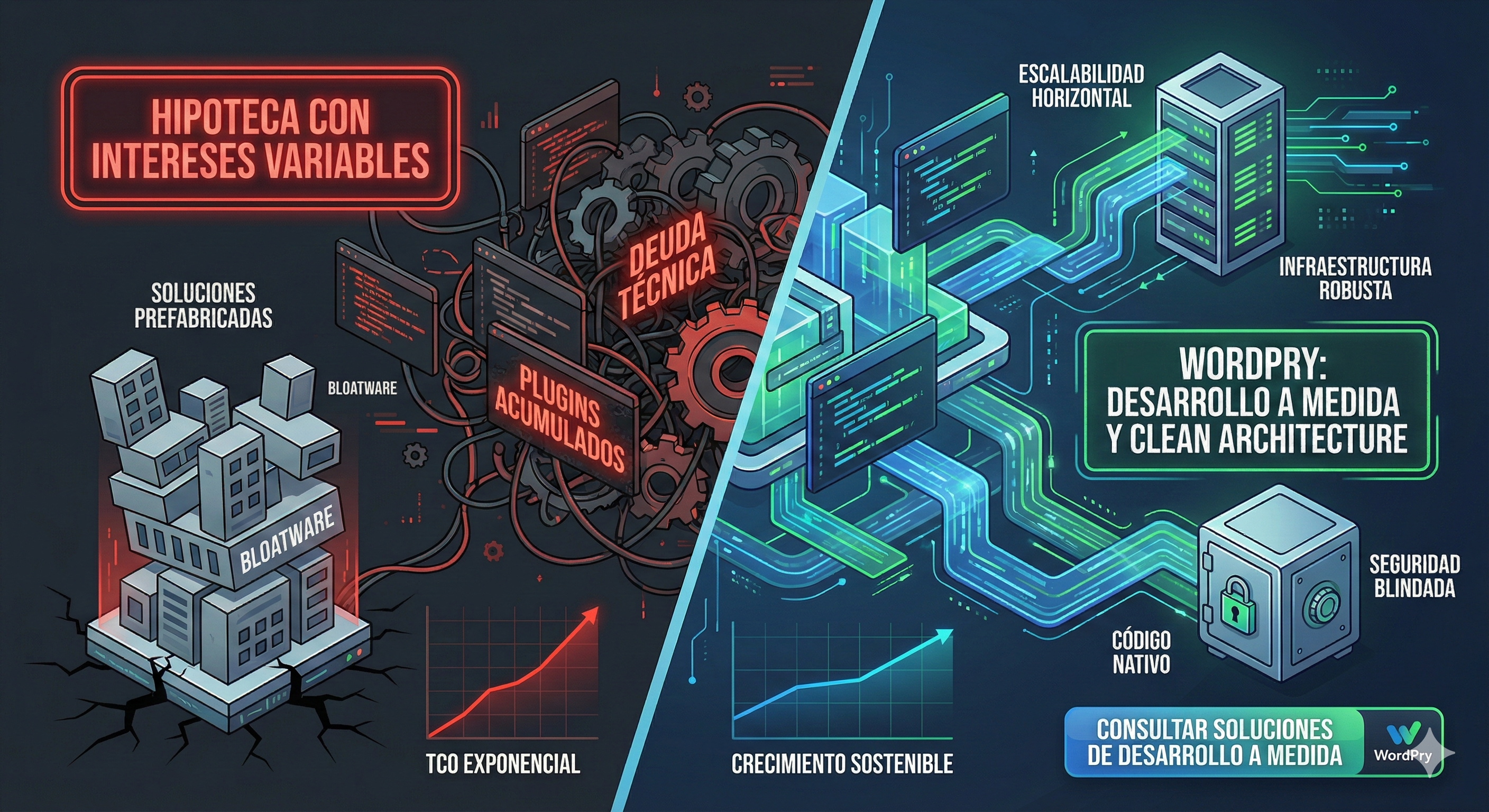
Code refactoring is the hygienic process of restructuring existing code without changing its external behavior. It is paying off the debt. Patching is taking out a loan to pay off another loan. At WordPry, we apply strict engineering to decouple business logic from the presentation layer, following high-quality standards that ensure your investment is sustainable in the long term.
Many sites continue to run on old PHP versions for fear of incompatibilities. This is a serious financial mistake that has direct consequences on your loading speed, your security, and your ability to scale the business. But the real problem is not simply changing the PHP version in the hosting panel; it is that legacy code prevents taking advantage of the improvements in modern versions.
PHP 8.0 introduced the JIT (Just In Time) Compiler, which compiles PHP bytecode to native machine code at runtime. For CPU-intensive tasks (image processing, complex calculations in WooCommerce, report generation), JIT can improve performance by 20% to 300%. However, legacy code full of obsolete functions, weak typing, and circular dependencies prevents safely activating JIT.
The differences between PHP 7.4 and PHP 8.x are not cosmetic. They are structural, and each one represents an optimization opportunity that your legacy code prevents you from exploiting:
| Feature | PHP 7.4 (Legacy) | PHP 8.x (Modern) | Performance Impact |
|---|---|---|---|
| Compilation | OPcache (bytecode) | JIT Compiler (native machine code) | #ERROR! |
| Typing | Basic Typed Properties | Union Types, Intersection Types, Enums | Fewer runtime errors, less error correction |
| Error Handling | Silent warnings | Strict TypeError and ValueError | Early bug detection, fewer technical support hours |
| Expressions | Nested ternaries | Match expressions, Named Arguments, Fibers | 40% more readable code, cheaper maintenance |
| Security Support | EOL since November 2022 | Active support with regular patches | PHP 7.4 is a permanent open attack vector |

Observe the difference between amateur code and code optimized for PHP 8+:
// LEGACY PHP 7.4 CODE (TECHNICAL DEBT)// No strict types, no validation, prone to silent errorsfunction calcular_total(b) { if(isset(b)) { return b; // What happens if a is "hello"? PHP doesn't complain. } return 0;
}
// MODERN PHP 8.2+ CODE (Refactored by Specialist)// Strict typing, Union Types, Named Arguments, predictable and testabledeclare(strict_types=1);
class CartCalculator { public function calculateTotal( floatprice, float discount = null // Union Type: accepts float or null ): float { price * (1 + tax); return match(true) {discount !== null => discount, default => subtotal, }; }
}
// Use with Named Arguments (total clarity):calc = new CartCalculator();calc->calculateTotal( price: 99.90, tax: 0.21, discount: 10.00
); The adoption of strict typing and SOLID principles is not academic pedantry; it is the only way to ensure that when your business scales, the website does not collapse under its own weight. Code stability is directly proportional to the stability of your online revenue. Every bug fix avoided thanks to robust code is money that stays in your account, not in your emergency technical team's.
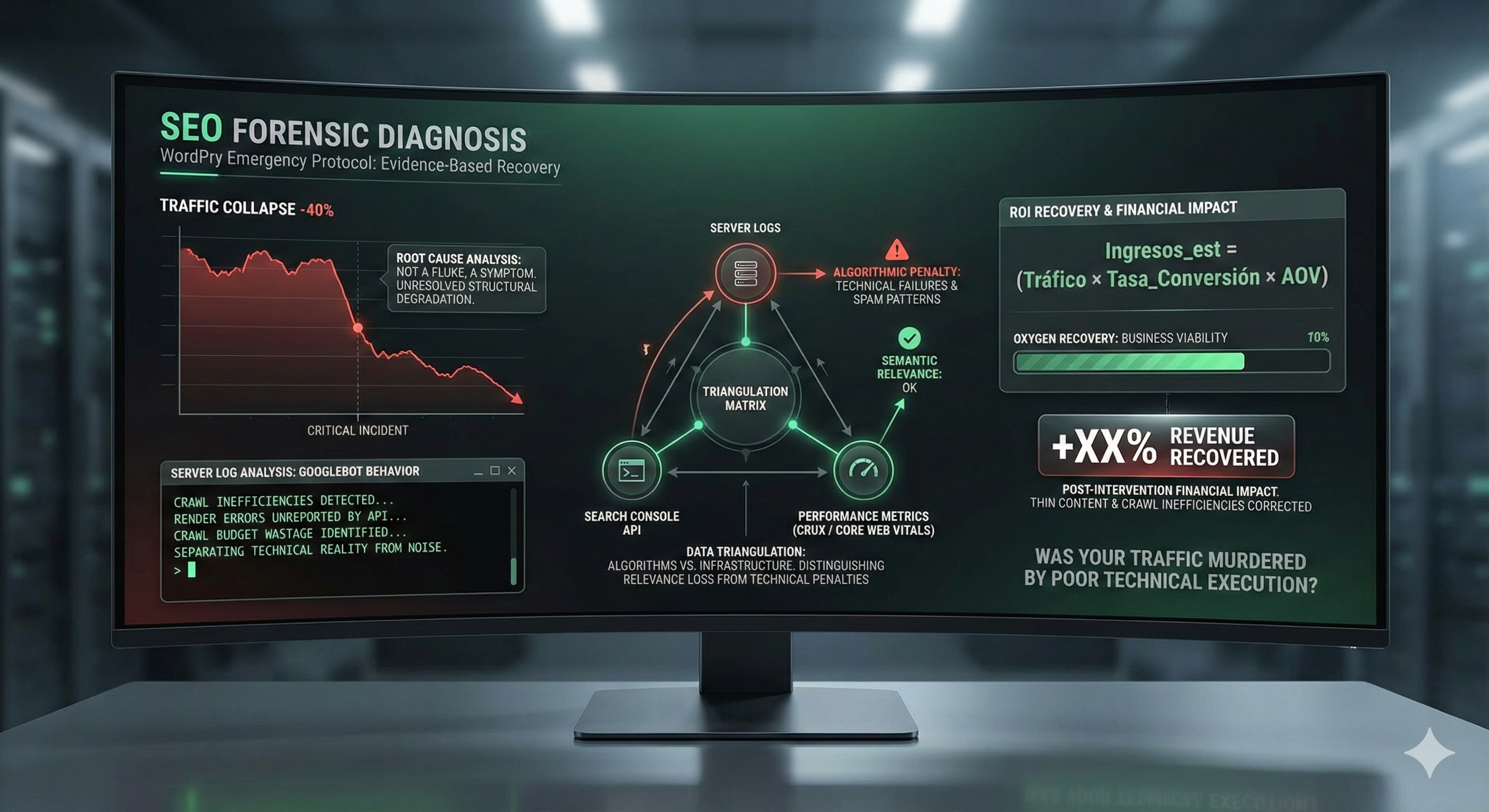
Stop thinking of Core Web Vitals as vanity metrics for Google Search Console. Think of them as financial KPIs. There is a direct and proven correlation between LCP (Largest Contentful Paint) and bounce rate. If your LCP exceeds 2.5 seconds, you are actively losing money. In a local seo strategy, where competition disputes the same clients in a limited geographic radius, every millisecond counts.
In competitive sectors, such as the example of barcelona web design or international law firms, the difference between the first and second page of Google is usually a matter of milliseconds. A WordPress Technical Debt Specialist optimizes the "Critical Rendering Path", ensuring critical CSS is served inline and non-essential JS is deferred, prioritizing a smooth user experience that converts visitors into customers.
If your business depends on clients in a specific geographic area, local seo is your oxygen. But here is the truth that most digital marketing agencies won't tell you: you can have the perfect Google Business Profile listing, the best reviews, and the most relevant content, but if your wordpress site takes 4 seconds to load, Google will penalize you against a faster competitor. Loading speed is a confirmed ranking factor, and for local seo, its impact is even greater because Google prioritizes user experience in searches with immediate local intent.
A WordPress Technical Debt Specialist approaches local seo from the technical base: implementation of LocalBusiness Schema with custom JSON-LD (not generated by a generic plugin), optimization of the server to serve content from a CDN with nodes in the target client's geography, and configuration of automated backups that guarantee service continuity. All this includes monitoring through professional tools that give you real data, not the vanity metrics that your current agency shows you.
FINANCIAL FACT: According to data collected in our audits, a local business with a website that loads in less than 2 seconds receives 37% more calls and 24% more quote requests than an identical competitor whose website loads in 4 seconds. In a market like barcelona web design with an average CPC of €3.50 in Google Ads, that speed difference amounts to thousands of euros annually in free organic traffic that your competition is capturing.
Numbers don't lie. Below we present two theoretical scenarios based on real patterns we have documented in years of experience auditing WordPress sites. These cases illustrate the financial difference between managing technical debt with a professional approach versus ignoring it with cheap patches.
Scenario: A medium-sized company hires a low-cost agency for its WordPress website with a WooCommerce store. Initial price: €2,500. Monthly wordpress web maintenance plan: €79/month. Promise: "all inclusive".
| Concept | Year 1 | Year 2 | Year 3 | Total 3 Years |
|---|---|---|---|---|
| Initial development | 2.500€ | - | - | 2.500€ |
| Monthly wordpress web maintenance | 948€ | 948€ | 948€ | 2.844€ |
| Out of plan bug fixes | 600€ | 1.200€ | 2.400€ | 4.200€ |
| Extra technical support hours | 450€ | 900€ | 1.350€ | 2.700€ |
| Hosting (forced upgrade due to performance) | 180€ | 360€ | 600€ | 1.140€ |
| Premium plugins (annual licenses) | 350€ | 350€ | 350€ | 1.050€ |
| Estimated loss due to slow loading speed (opportunity cost) | 3.000€ | 4.500€ | 6.000€ | 13.500€ |
| TOTAL HIDDEN + DIRECT COSTS | 8.028€ | 8.258€ | 11.648€ | 27.934€ |
Notice the pattern: hidden costs accelerate exponentially. Bug fixes double each year because patching generates new problems. Extra technical support hours grow because the technical team spends more time firefighting than building value. Hosting becomes more expensive because the cheap agency's only solution for slow code is to buy more hardware. And the opportunity cost – customers who never arrived due to loading speed – is the biggest hole of all, even though it's invisible on the invoice.
Scenario: The same company hires a WordPress Technical Debt Specialist for a forensic audit and complete refactoring. Higher initial investment, but with an action plan designed to eliminate the root of hidden costs.
| Concept | Year 1 | Year 2 | Year 3 | Total 3 Years |
|---|---|---|---|---|
| Forensic audit + Code refactoring | 6.500€ | - | - | 6.500€ |
| Professional wordpress web maintenance | 2.400€ | 2.400€ | 2.400€ | 7.200€ |
| Bug fixes (included in plan) | 0€ | 0€ | 0€ | 0€ |
| Technical support hours (included) | 0€ | 0€ | 0€ | 0€ |
| Optimized hosting (no forced upgrades) | 180€ | 180€ | 180€ | 540€ |
| Plugins (removed, replaced by own code) | 0€ | 0€ | 0€ | 0€ |
| Estimated gain from speed improvement and local SEO | +4.500€ | +7.200€ | +9.000€ | +20.700€ |
| NET BALANCE (Costs - Gains) | 4.580€ | -4.620€ | -6.420€ | -6.460€ |
RESULT: While the "Cheap Agency" has generated an accumulated expense of €27,934 (with an increasing trend), the Specialist's approach generates a positive ROI from month 6 and a net saving of €6,460 in the third year, with an infrastructure that scales without additional hidden costs. The real difference over 3 years: €34,394 in favor of professional refactoring.
So that you understand the scope of our wordpress support and maintenance service, this is the checklist we apply in every forensic audit. It is not an automatic scan; it is a manual review, line by line, table by table, file by file:
Each of these points is a task that requires a technical team with real experience in wordpress web maintenance at an enterprise level. It is not something that can be solved with a €79/month plan or a freelancer who spends 30 minutes a week on your site. Generic maintenance plans are, in the vast majority of cases, a hidden cost disguised as savings.
If you have come this far, you already have more technical information about the real health of your WordPress site than 99% of website owners. The question is what you are going to do with it. You can continue paying for wordpress web maintenance that only maintains the status quo, or you can hire a WordPress Technical Debt Specialist who transforms your website from a financial liability into a customer acquisition machine.
At WordPry, our service is not an expense; it is an investment with documentable ROI. Every euro invested in code refactoring, database optimization, and perimeter security translates into fewer hidden costs, better web positioning, greater loading speed, and more customers coming through your door. Whether you compete in the barcelona web design market, barcelona seo, or any other highly saturated niche, the technical advantage is the only sustainable advantage.

You have already lost enough traffic and budget on temporary patches. It is time to treat your digital infrastructure with the seriousness that your billing requires. Request a complete forensic audit today and find out exactly how much your technical debt is costing you.
Stop playing Russian roulette with your updates. Request a deep code audit, eliminate digital fat, and build an efficient, secure, and scalable sales machine. Your competition is already doing it. Our technical support team is ready to analyze your case with no obligation.